
Getting Comfortable on Camera: A Guide for Business Owners
Camera nerves are normal. Simple setup, a few habits and the right first videos will help you and your staff feel steady on camera.
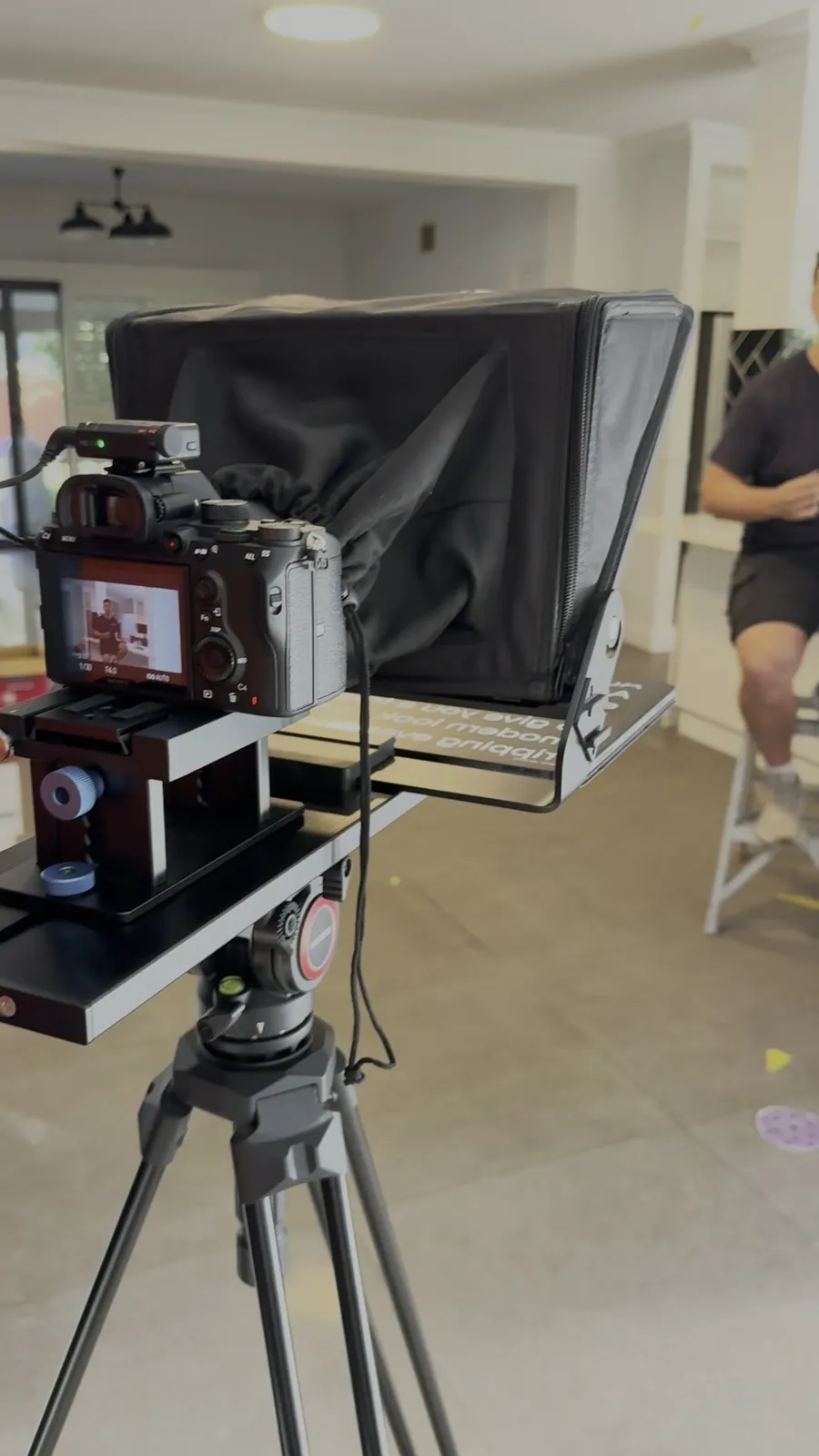
If the thought of pointing a camera at yourself makes your stomach drop, you are not alone. Most business owners did not start out wanting to be on video. You want to do good work, look after your customers and keep the jobs coming in. Now you are told you need to be a presenter too.
Good news: you do not need to become one. You need a bit of setup, a few simple habits and the right kinds of video to start with.
Why Camera Nerves Hit So Hard
You are not “bad on camera”. Video just feels permanent, and your reputation is on the line. That pressure is real. For most owners and staff, it comes from a mix of things:
- Fear of judgement: worrying that customers, competitors or mates will pick apart how you look or sound.
- Perfection pressure: feeling like every line has to be flawless, so you freeze.
- No plan: someone says “we should do video”, a phone comes out, and there is no structure. Of course everyone tenses up.
- Underselling yourself: “no one wants to hear from me”, even though your customers would disagree.
- Tech overwhelm: cameras, mics and settings feel confusing, so you never start.
Most of the time, you are not shy. You are unprepared.
Why Video Is Worth It
- Customers see the real you: your face, voice and process build trust faster than any written blurb.
- You answer questions up front: short explainer clips cut down the back and forth.
- It feels human: people respond to straight-talking content. A simple phone video can beat a glossy brochure.
- You look like a safe bet: when people can see who will turn up, they are more comfortable reaching out.
Set Yourself Up to Feel Ready
You cannot fix nerves with confidence alone. You need a setup that makes filming practical and predictable. Gear first, then space, then headspace.
Keep the Gear Simple
- Use your phone: it is more than good enough for social and website video. Stability and sound matter more than the lens.
- Add a tripod: it keeps the frame steady, frees your hands and instantly looks less amateur.
- Prioritise audio: a small clip-on mic is the best value upgrade there is. See our guide to getting better audio when filming.
Film Somewhere Familiar
- Stay on your turf: your workshop, office or site, wherever you already feel confident.
- Control noise and clutter: avoid echo and loud machinery, and keep the background tidy but real.
- Face the light: a window in front of you, not behind, and no harsh light directly overhead.
Warm Up Before You Roll
- Have a loose plan: three dot points. The problem, what you do about it, the next step.
- Warm up for two minutes: roll your shoulders, take a few slow breaths and say a few sentences out loud.
- Expect retakes: say it up front. “We will grab a few takes and pick the best bits.” The pressure drops straight away.
Simple Techniques That Build Confidence
Confidence comes from repetition and small habits, not from being a natural.
Step 1: Talk, Do Not Recite
- Use a talk track: keep your three dot points in view and talk around them in your own words.
- Practise without recording: say it out loud a few times. If a sentence trips you up, change it to how you would say it to a customer.
- Keep takes short: 15 to 30 seconds each. Easier to say, easier to edit, far less daunting.
Step 2: Use Body Language That Helps
- Give your hands a job: hold a tool or rest them on a bench. Idle hands fidget.
- Stand solid: feet hip width apart, knees soft. If seated, sit forward with both feet on the floor.
- Pick a focus point: look into the lens as if you are talking to one customer.
Step 3: Calm the Nerves
- Box breathing: in for four, hold for four, out for four. Repeat three times before each take.
- Loosen your jaw: stretch your neck and over-pronounce a few words. It looks silly for ten seconds, then your voice comes out clearer.
- Shake it off: roll your shoulders and take one deep breath as you start.
Step 4: Picture One Customer
Before you film, picture a real customer who already trusts you. Talk to them, not “the internet”. Agree on what good enough to post looks like, such as clear audio, the key point made and a next step. When a take hits that, you are done, even if you spot small flaws.
More on framing and posture in our guide to filming professional videos with a smartphone.
Start With Easy Formats
Do not start with a long sales video. Pick formats that are close to conversations you already have every day.
- Short tips: one common customer question per clip. No intro, just the answer.
- Walk-past moments: film someone working and add one quick line to camera. The focus stays on the work.
- FAQs: pull five questions from your inbox. Each one becomes a video, and they sit nicely on your service pages.
- Behind the scenes: setup, tools and pack down, with captions or a voiceover for anyone who would rather not be seen.
- Informal chats: one person off camera asks simple questions. It feels like a yarn, not a speech.
Film in batches once everyone is warmed up and you will have content for weeks. Need more prompts? Try our list of video content ideas for businesses.
Be Yourself on Camera
You do not need to act like a TV host. Customers want the same person they get on the phone or on site. Think helpful local expert, not performer.
- Keep your normal wording: if you would say “give us a call” in real life, say it on camera.
- Record extra, then trim: cutting rambles is easier than nailing a perfect take.
- Keep small imperfections: a stumble or a laugh is fine if the message is clear. It often makes people like you more.
- Match your usual energy: calm in person, calm on camera. Do not force a personality you cannot keep up.
Make Video Part of How You Work
Once you are more comfortable, give video a clear job in the business.
- Win the right enquiries: explain services clearly and show finished work.
- Get to yes faster: FAQ and “what to expect” videos answer questions before the quote.
- Support hiring: team clips show potential staff who they would work with.
Pick your website plus one main social platform and set a rhythm you can keep, such as four videos a month. Our guide to building a video content calendar gives you a structure to follow.
Keep Improving
- Schedule short filming blocks: 30 minutes every fortnight is plenty.
- Share the load: rotate who is on camera so it does not all fall on one person.
- Review kindly: start with what worked, then pick two things to improve next time.
- Track what matters: note which videos lead to enquiries or useful comments, then make more of those.
- Ban cheap shots: no mocking how anyone looks or sounds. Celebrate people for having a go.
Treat video like any other skill in the business and you go from camera shy to camera steady without pretending to be someone else.
Want someone to guide the questions and keep everyone relaxed on shoot day? That's our Perth video production service. Get in touch.
Want us to find the stories for you?
We bring the ideas, direction and production. You keep doing great work.



Rather we just do it for you?
We bring the ideas, direction and production. You keep doing great work.